

Readiness check
./mini-forge --tablet
The Mini Forge
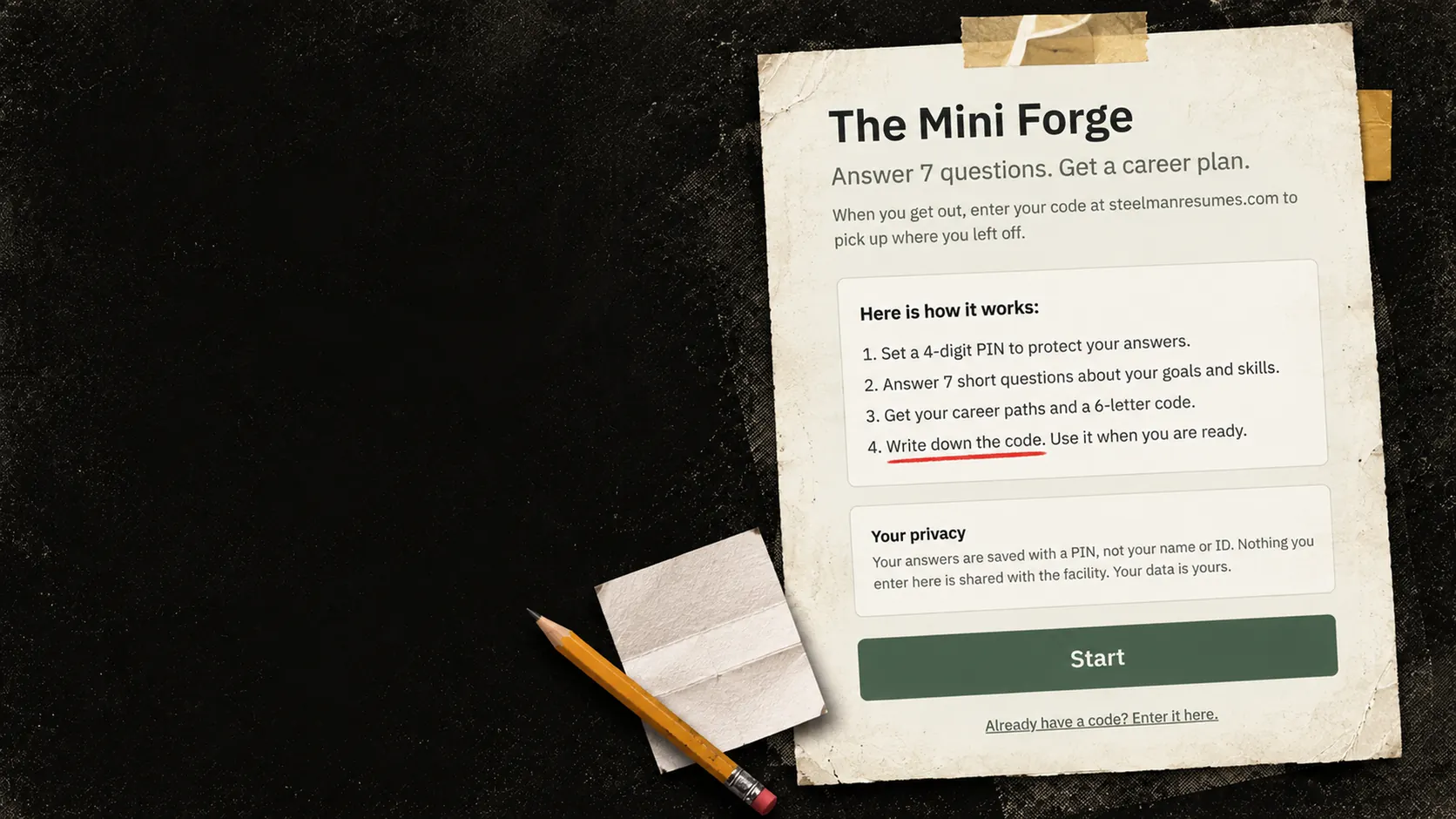
The Forge, sized for a room and a shared device. Seven short questions, no account, no name. A person sets a 4-digit PIN, answers, and leaves with a career plan and a code to carry out.
The real Mini Forge start screen printed and taped up: answer 7 questions, get a career plan, set a 4-digit PIN, write down the code. A pencil and a folded note sit beside it.
01 / INTAKE
SEVEN QUESTIONS. ONE USEFUL PLAN.
Built for someone on a shared or facility device who has no email account yet: a classroom, a tablet, an event table. No account and no name. Just seven questions that produce a real plan.
Goal setting
What do you want from work?
Barrier mapping
What is in your way?
Work type
What kind of work fits you?
Skills inventory
What are you good at?
Location
Where will you look for work?
In your own words
What would make work feel like yours?
The result
Career paths. A skills summary. Resource starting points to confirm. A plain-language resume starter. And a code they write down and carry out. Unclaimed answers are deleted after 18 months.
02 / CONTINUITY
THE CODE CARRIES THE PLAN OUT
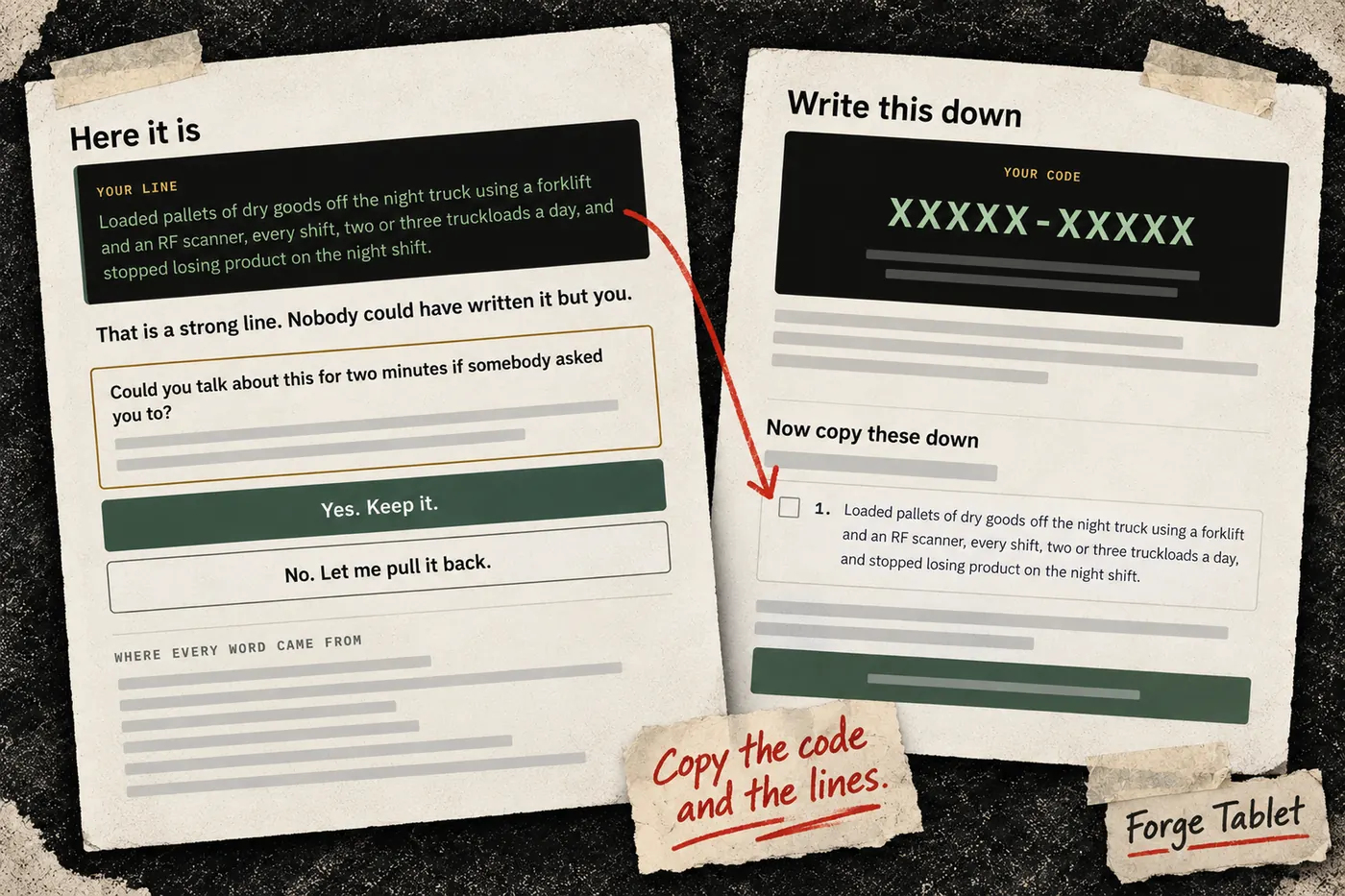
The plan a person builds in the room does not stay in the room. The code and PIN bring it into a Refinery account.
In the room
A person completes the Mini Forge on a shared or facility device. They set a 4-digit PIN and write down their code.
Later, on any device
They visit steelmanresumes.com/coming-home and enter the code and PIN at sign-up. The account is free.
In the account
The plan is waiting: career paths, skills, resource starting points and the resume starter. Refinery tools then unlock in order: the profile, then a first resume, then everything.
From there
They keep going in The Refinery: tailored resumes, a disclosure plan, interview practice, a job board and an application tracker.
03 / THE PLAIN FACTS
HOW IT HANDLES ANSWERS
What the Mini Forge needs and what it saves.
A web page, on a network
The Mini Forge needs a network connection and uses AI. It works without JavaScript. For a device with no network at all, see the offline tablet package below.
No third-party scripts
No third-party scripts load on the Mini Forge. No analytics.
A PIN, not a name
Answers are saved under a PIN and a code, not a name or ID number. No email is needed. The PIN is stored as a one-way hash. The answers themselves are stored readable on our server, so they can be picked up later.
A plan, not finished documents
Shorter than The Forge and fixed-choice. It produces a plan rather than a finished resume and cover letter. The answers go to our AI provider once, to write the plan.
Retention
Unclaimed answers are deleted after 18 months. Once a person brings them into an account, the Mini Forge copy is deleted within about 30 days.
What we send to a facility
Nothing. We do not send answers to the facility.
Usage limits
Use without an account is capped per device network and per day. That keeps a shared room from being abused.
04 / NO NETWORK AT ALL
THE OFFLINE TABLET PACKAGE
A different tool for a different constraint. The Mini Forge needs a network and uses AI. This package needs neither. It is packaged as a course for a learning system.
WHAT IS IN IT
An offline career intake for a corrections tablet: a branching interview that helps a person recover their work history and dates, a bullet builder, credentials, preferences, a one-page printable resume, a four-part disclosure statement to practice, interview preparation drawn from the person's own answers, and a safety layer. No AI. Nothing is generated at runtime. It is built as SCORM 1.2 and SCORM 2004 packages.
NO NETWORK, AND A REVIEWER CAN CHECK
The package makes no network calls. The build refuses to produce a package that could, and every build ships a containment report a reviewer can reproduce.
NOTHING LEFT ON THE DEVICE
It writes nothing to the tablet's own browser storage.
WHERE ANSWERS LIVE, AND WHO COULD READ THEM
Answers are saved in the institution's own learning system, in the SCORM resume-state field, the same way any course saves progress. The package reports completion, time and the current screen. It also stores the person's answers in your LMS as readable text. Who can read that field is a setting on your platform, and it is one of the first things we would confirm together.
SAFETY SCREENS STAY PRIVATE
If someone reaches a crisis screen, the LMS never learns it. The record shows the screen they return to.
A CODE THEY CARRY OUT ON PAPER
Every fixed-choice answer packs into a short code a person can write down. Outside, typing it in restores those answers with no server, no integration and no vendor cooperation. It decodes in the browser and is never sent to us. Free-text answers and employer names go out on the printed sheet.
Bring it to your program
If you work in corrections education, a reentry program, or a tablet content platform, bring your data questions. We will answer them in the running tool.
Did you complete The Mini Forge while you were inside?
Enter your code and continue your plan →